One Block Horrors But Gun Mobile & Tablet Survival Tips
Turn touch aim assist, HUD layout, and battery habits into cleaner nights on phone or tablet.
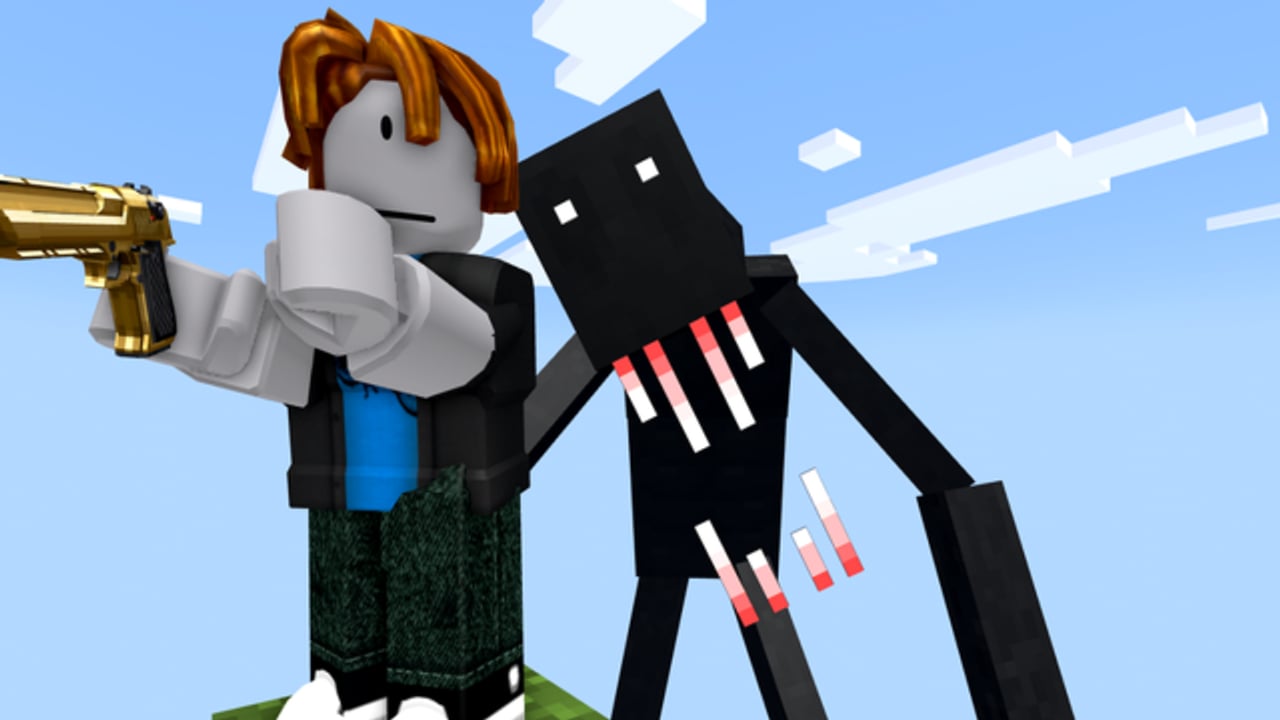
One Block Horrors But Gun by Sillymine Studios is fully playable on phone and tablet, and a large share of the growing Roblox player base joins from touch devices. Mobile aim assist helps tracking, but nights still punish bad HUD habits, empty magazines, and void edges. This guide focuses on mobile- and tablet-specific routines so you survive alongside PC teammates in servers of up to 18 players while mining the regenerating one block for loot and 90+ guns.
Pair this page with the full Controls reference for input basics, then apply pressure tactics from Survive the Night. Day-one players should still skim Getting Started before optimizing thumbs.
Why mobile needs its own checklist
Touch screens shrink peripheral vision, hide ammo counters behind thumbs, and make precise mining swings harder when you are also strafing. Aim assist reduces flick demand, but it will not reload for you, call flanks, or stop you from walking off a platform. Treat mobile as a first-class platform: same loop as PC—mine, arm up, light approaches, hold a choke—with extra discipline around UI and device health.
As of late November 2026 the experience is still young (launched 17 November 2026), so expect HUD tweaks over time. The habits below stay useful even when buttons move a few pixels.
Aim assist: use it, do not abuse it
Official mobile aim assist helps your reticle stick to nearby threats. Best practices:
- Start engagements at mid range where assist can settle before recoil blooms.
- Strafe with short steps so assist stays locked instead of sliding off targets.
- Break line of sight to reload; assist cannot invent ammo.
- Do not stand still trusting soft lock—splash and rushers still punish statues.
- If assist feels sticky on teammates or the one block while mining, ease sensitivity down a notch and re-center manually before swings.
PC players sometimes mock assist; ignore the chat noise. Your job is surviving the night with the tools Roblox and Sillymine ship.
Thumb layout and grip
Find a grip you can hold for a full day/night cycle without cramping:
- Left thumb — movement stick only. Avoid lifting it to tap chat mid-fight.
- Right thumb — aim pad and fire. Keep reload and jump reachable without a full hand shift.
- Landscape — prefer landscape for night vision width; portrait crops flanks.
- Case and hands — bulky cases plus sweaty hands equal missed reloads; wipe the screen between cycles.
- Tablet — two-hand hold with clearer sightlines; still lock brightness and do-not-disturb so notifications do not steal taps.
Practice a daylight drill: three clean block breaks, one controlled magazine, one reload behind cover, one retreat to your rally point. If any step needs a hand lift, remap or resize on-screen buttons before dusk.
HUD habits that save nights
Glance cadence matters more on mobile because the ammo number may sit under a thumb:
- After every magazine, deliberately peek the counter before you peek a lane.
- Keep chat collapsed unless you need a one-word call (“left,” “reload,” “block”).
- Close settings and emote menus the moment darkness starts.
- Put your night primary on the easiest hotbar slot; never dig through a full inventory mid-wave.
- When loot drops from the regenerating block, decide equip-or-share in under two seconds, then re-cover an angle.
If the UI feels noisy, lower non-essential effects in device settings and raise brightness just enough to read silhouettes without washing out muzzle flashes.
Mining the one block on touch
Center the block before you commit the break input. Sprint-mining with a drifting stick is how mobile players fall or waste swings on air. After the block regenerates, sweep left and right with a small camera pan before the next hit so you are not tunnel-visioned when a threat spawns early.
In full lobbies, do not stack six thumbs on the same pixel. One or two miners, one lookout—especially if you are on a smaller phone screen that hides side approaches. Share early pistols with unarmed teammates; an armed squad beats a hoarder with three awkward guns and no help.
Night routines tailored to mobile
Hold tighter chokes than you might on PC. Narrow sightlines help assist stay useful and reduce the need for huge camera sweeps. Prefer cover you can reach without jumping; jump aiming on touch is where people overshoot into the void.
Call reloads out loud or with short text so PC laners know your side is soft. If your squad uses voice, keep the mic off the fire button so you are not mute-mashing mid-spray. Review lighting and revive discipline in Survive the Night and shape platforms with Base Defense so your thumbs have safe footing.
Battery, heat, and performance
Long public sessions with up to 18 players, muzzle flashes, and night effects drain phones fast:
- Charge before a planned stack; low-power mode can tank frame pacing mid-wave.
- Remove thick cases if the device throttles from heat after twenty minutes.
- Close background video apps; Roblox plus a streaming tab is a stutter machine.
- Lower graphics one step if frames hitch when multiple guns fire—aim assist feels worse on unstable FPS.
- Bring a cable or battery pack for marathon private practice nights.
Performance dips feel like “bad aim.” Fix thermals before blaming the gun.
Cross-play etiquette with PC squads
Tell teammates you are on mobile once. Good groups will call flanks earlier and avoid expecting pixel flicks. Offer to hold door or mid lanes where assist shines; ask a PC player to take ultra-long picks if your screen is tiny. Loadout ideas that mix well across devices live in Best Loadouts once that page is in your rotation, and squad roles are spelled out in Squad Play.
Never shame another mobile player for using aim assist—it is an official feature. Report actual cheats through Roblox tools; see the Scripts Hub for why injectors are a different, ban-risk topic.
Common mobile mistakes
- Portrait-only nights with no flank awareness.
- Ignoring ammo UI until dry-fire clicks.
- Mining through dusk because “one more swing” felt easy with assist idle.
- Jump-peeking every corner and landing short of the platform.
- Letting the phone hit 1% during the hardest wave.
Five-minute mobile warm-up
- Lock landscape, brightness, and silent notifications.
- Confirm aim assist and sensitivity feel stable on a practice strafe.
- Break the one block for three clean regenerations.
- Fire one magazine, reload behind cover, swap to backup once.
- Walk your night rally path without jumping unless required.
Then join the real hold. When something still feels wrong, return to Controls for input detail or Getting Started for the full day-one loop.
Mobile One Block Horrors But Gun is not a lesser mode—it is the same Sillymine survival fantasy with different hands. Master assist windows, HUD glances, heat, and choke discipline, and you will clear nights that wipe less organized PC stacks.
Frequently Asked Questions
Quick answers for One Block Horrors But Gun players.
Does One Block Horrors But Gun have mobile aim assist?
Yes. Phone and tablet clients include official aim assist. Use it for tracking, then reload behind cover and hold chokes like any other platform.
Should I play in landscape or portrait?
Landscape is strongly preferred for night awareness. Portrait crops side approaches and makes flank calls harder in 18-player lobbies.
Why does my aim feel worse after twenty minutes?
Heat throttling and low battery often reduce frame pacing, which makes assist and tracking feel slippery. Cool the device, close background apps, and charge between cycles.
Where can I learn full keybind and UI details?
Read the Controls guide for PC and touch input basics, then use Survive the Night for lighting, ammo, and revive routines under pressure.
Can mobile players hold their own with PC squads?
Yes. Communicate that you are on touch, take lanes where assist helps, and follow shared rally and reload calls so the whole squad covers gaps.